
Other Features
Document Search
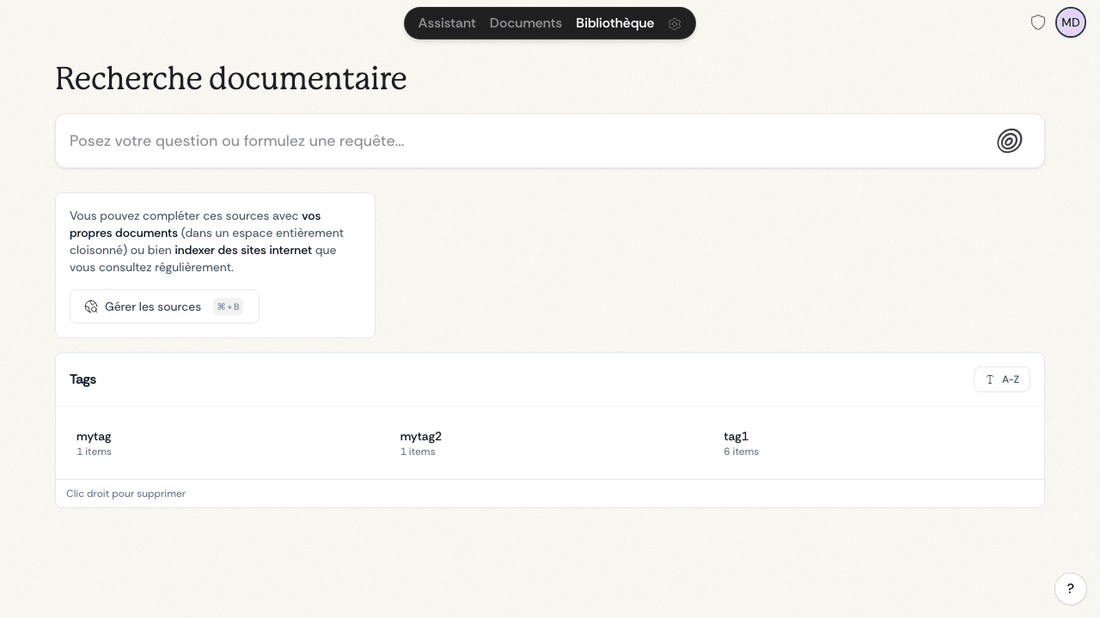
Document search offers quick access to information without having to formulate complex questions:
- Go to the Library tab in the navigation bar at the top of your screen
- Write your query in natural language or by keywords
- Quickly filter results by source
- Access corresponding documents directly with one click
This feature is particularly useful when you know exactly what you're looking for and want quick access.
Global Search Palette
The global search palette is available from anywhere in the app.
- Open it with Cmd + K or Ctrl + K
- You can also open it from the Dynamic Island
- It searches actions, documents, integrations, conversations, workflows, tags, and legal results
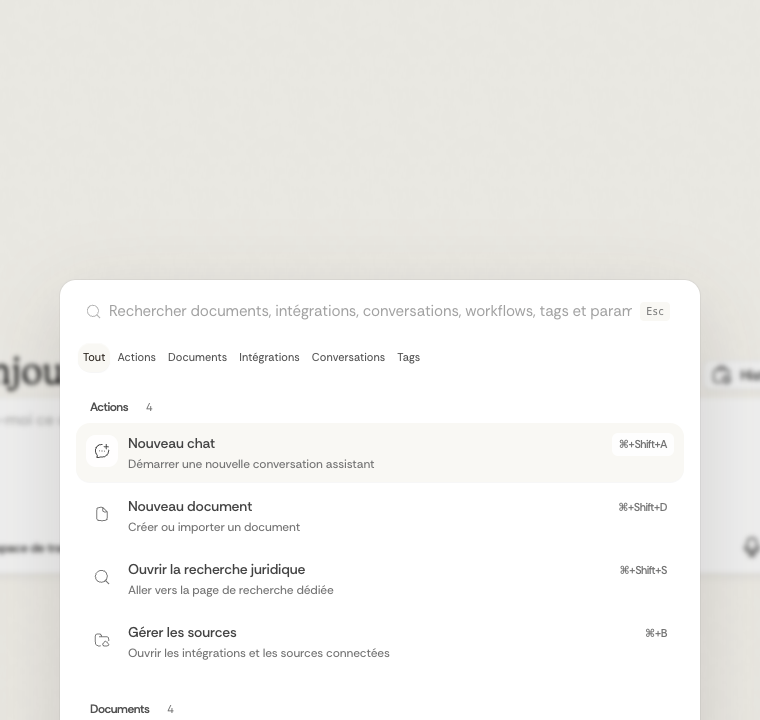
The palette also includes shortcuts to common destinations such as the chat, documents page, legal search, source settings, and account settings.
Category Tabs
The bar at the top of the palette lets you limit the visible results to one category at a time.
- Use Actions to find commands and shortcuts
- Use Documents to search files
- Use Integrations to search connected folders and external sources
- Use Conversations to reopen previous chats
- Use Tags to search saved tags
You can start with a broad search, then click the tab that matches the type of result you want to review.
Prompt Library
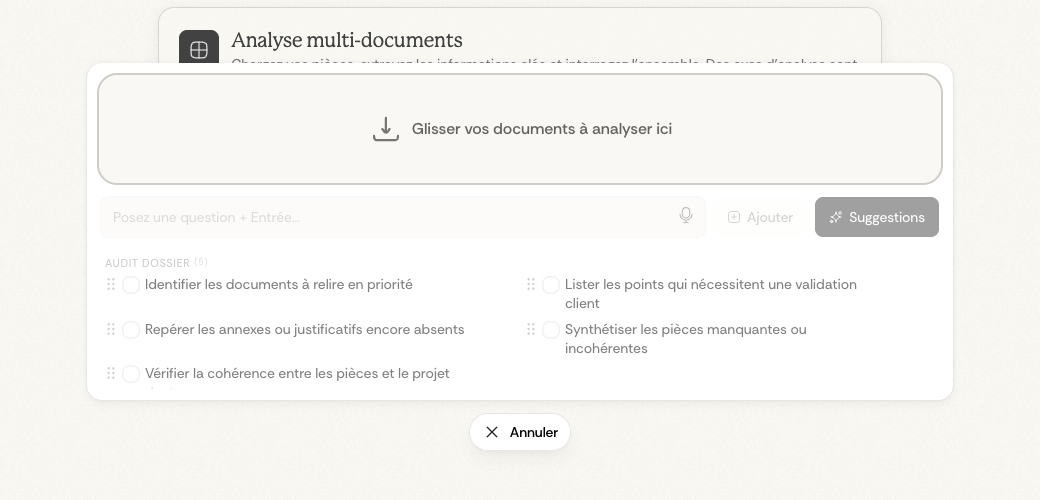
The prompt library lets you save, organize, and reuse your recurring questions and instructions to save time in your analyses.
In /app/chat, click the Multi-document Analysis workflow. The prompt library appears directly in the analysis screen, under the document upload area.
Smart Suggestions
When you link documents to an analysis, Ordalie automatically generates relevant question suggestions based on the content. You can:
- Edit suggestions directly before saving them
- Generate more suggestions on demand
- Dictate your prompts using the integrated microphone button
Organization by Categories
Your saved prompts are organized into customizable categories:
- Create your own categories (e.g., "Research", "Contract Analysis", "Due Diligence")
- Move prompts between categories via drag-and-drop
- Edit or delete your prompts at any time
Batch Execution
Select multiple saved prompts and run them all at once on your linked documents. This feature is particularly effective for systematically applying a standard set of questions to new documents.
Multilingual Support
Ordalie supports multiple languages:
- To change the interface language, simply access settings from the menu at the top right of the screen and select the desired language (French or English, currently).
- Ability to analyze and interpret texts in different languages (English and French)
- Identification of uploaded document languages for precise processing